
Computer Lab
🔐 Access and Security
- Present a valid ID card before entering the computer lab.
- Each student or visitor must make an entry while entering and exiting the lab.
- Keep your passwords to yourself and change them if you think someone else knows them.
- Mobile phones must be switched OFF inside the lab.
🧼 Lab Etiquette
- Maintain silence at all times.
- No eating or drinking is allowed inside the lab.
- Keep the lab clean and tidy.
- No bags, handbags, or casual wear are allowed; only notebooks are permitted.
💻 Computer and Internet Use
- Internet facility is provided only for educational and study purposes.
- Don't download, view, or distribute offensive materials.
- Don't modify or delete important files or install software/settings.
- No personal files are to be stored on the local drive C; use your own digital storage.
- Don't play games or engage in personal computer use during lab time.
📝 Lab Procedures
- Close all programs and keep the desktop clean before leaving.
- Shut down the computer properly before leaving the lab.
- Report any issues or malfunctions to the Lab In-Charge immediately.
- Follow instructions from lab staff, they may ask you to leave the workstation.
⚠️ Additional Rules
- No duplicate or pirated software is allowed inside the lab.
- Don't use personal Pen Drives, CDs, or DVDs; only official ones are permitted.
- The lab is for academic purposes; a quiet atmosphere is required.
- Lab assistants are available for basic computer/software issues, not for tutoring.
🚨 Consequences
- In case of theft or destruction of property, double the cost of the item will be charged.
- Disruptive students may be asked to leave, and Public Safety may be informed.
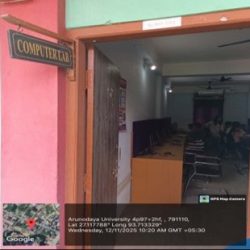
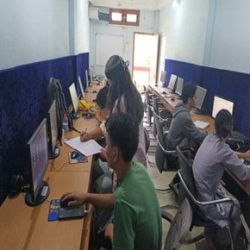
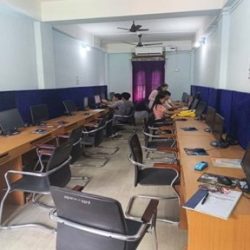
COMPUTER LAB - FACILITIES LIST
| Sr. No | Particular | Qty |
|---|---|---|
| 1 |
Desktop:
|
14 |
| 2 |
Desktop:
|
02 |
| 3 | 30 Mbps Internet Service | — |